
100% Local AI processing

Sound like anyone.

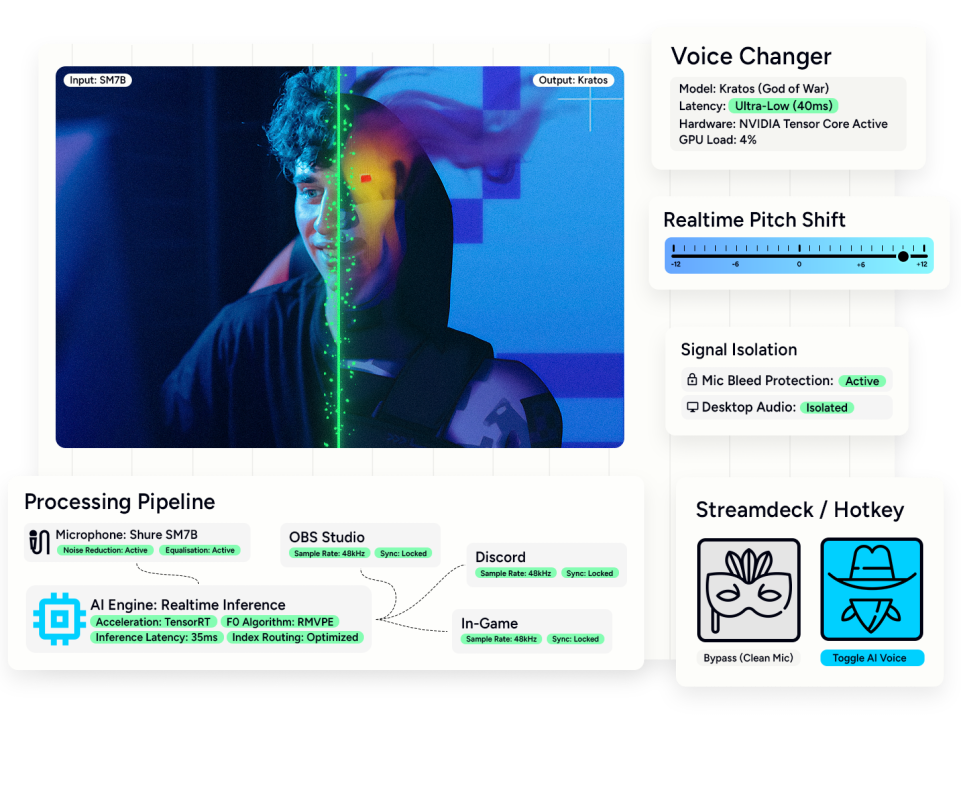
I install and route real-time AI voice conversion directly on your PC. NVIDIA, AMD, and Intel Arc hardware are fully supported. I handle the config. You speak.

Works out of the box

Voice changer, dependencies, virtual audio cable—installed and configured in one session.

System-wide routing

Use your AI voice in OBS, Discord, Zoom, games. Not locked to one app.

Your voice or someone else's

Pick a model from the library, or train one on your own recordings.

Dialed in, not just installed

I tune pitch, index ratio, and latency so it sounds natural—not robotic.

Hear the difference

Same words. Different voice.

Voice conversion in real time. This is what your stream, podcast, or call can sound like.

System-wide voice model integration

I install the voice conversion software locally on your PC. I configure the virtual audio cables. Your selected voice model routes directly into OBS, Discord, and your games.

  • Local AI software installation
  • System-wide virtual routing
  • Pre-trained model loading
  • Hardware-specific latency tuning

Input signal isolation

AI models require a clean input signal to prevent digital artifacts. I configure your microphone gain staging and apply a strict noise gate. I route your raw audio through Wavelink with custom EQ. A pristine source signal generates an accurate AI conversion.

  • Microphone gain staging
  • Background noise isolation
  • Wavelink input EQ
  • Digital artifact prevention

Broadcast output processing

Raw AI audio lacks dynamic range. I apply studio-grade compression, EQ, and limiting directly to your converted voice. Your new voice cuts through game audio and music without clipping. I back up your configuration files for easy restoration.

  • Output signal compression
  • Broadcast EQ adjustments
  • Brickwall limiting
  • Configuration backup files

Voice Swap

$60

A working voice changer in every app.

What's included

  • Voice changer software install
  • System-wide audio routing
  • One voice model from library
  • GPU-specific calibration
  • Discord audio fixes
Recommended

Clean Signal

$90

Better input, better voice. Save $10 by booking direct.

What's included

  • Everything in Voice Swap
  • Mic gain staging
  • Noise calibration
  • Input EQ

The Broadcast

$130

Studio-grade output from mic to stream.

What's included

  • Everything in Clean Signal
  • Output compressor
  • Output EQ
  • Limiter
"
"This was an amazing experience! Very patient and made sure I had everything I needed. Explained every single step and went through all of the different programs, settings and plugins. Answered all of my questions and helped made my stream look exactly the way I wanted. Highly recommend!"
ShelleRaiShelleRai Photography

FAQs

What hardware do I need?

A 3060 or higher NVIDIA GPU and a relatively modern CPU with at least 16GB of RAM.

How long does training take?

Depends on your audio length and my queue. Usually same-day or next-day turnaround. Setup session happens after training is done.

Can I use this for YouTube videos or just live stuff?

Both. Live use has latency considerations, but for recorded content you can process as slowly as you need.

What if I want multiple voice models?

Each additional model is extra—whether that's from the library or trained. Setup covers one.

What's the difference between RVC and other voice AI?

RVC2 is currently the best open-source option for real-time voice conversion. Low latency, good quality, runs locally. The commercial alternatives either cost monthly or send your audio to the cloud.

What if something breaks after the session?

I stick around for a few days after. If Vonovox crashes or your audio routing gets messed up, ping me and I'll help sort it. Besides each session is recorded and will be made available to you.

Ready to stop fighting your setup?